
If you’ve got an old Raspberry Pi gathering dust in a drawer, this weekend might be the perfect time to dust it off and embark on an exciting new project. The Raspberry Pi ecosystem has evolved tremendously, with improved operating systems, expanded community support, and countless innovative use cases that make it easier than ever to transform a humble single-board computer into a powerful tool for learning, creativity, and self-hosting. Whether you’re a seasoned maker or picking up a Pi for the first time, there’s never been a better moment to explore what this versatile platform can do.
Understanding the Modern Raspberry Pi Ecosystem
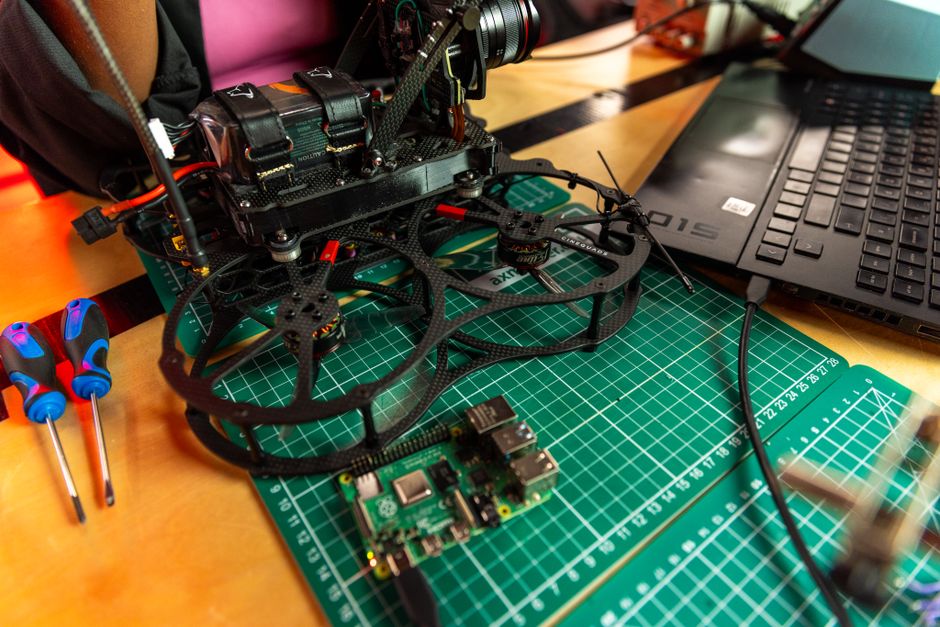
The Raspberry Pi has come a long way since its inception as an educational tool. Today, it represents one of the most accessible entry points into computing, electronics, and software development. With various models available at different price points and performance levels, there’s a Pi for virtually every use case imaginable.
The latest iterations of Raspberry Pi OS (formerly Raspbian) have streamlined the user experience significantly. The operating system now features improved package management, better security features, and enhanced compatibility with modern development frameworks. This means that even if you have an older Pi model sitting around, installing the latest OS can breathe new life into it, making it feel like a completely refreshed device.
What makes the Raspberry Pi particularly appealing is its thriving community. Millions of developers, hobbyists, and educators worldwide actively contribute projects, tutorials, and solutions to common challenges. This collective knowledge base means you’re never stuck—there’s almost certainly someone who has solved your problem before and documented their approach online.
Exploring Self-Hosting Possibilities
One of the most compelling reasons to activate an idle Raspberry Pi is to venture into self-hosting. Self-hosting refers to running your own online services from hardware you control, rather than relying on third-party cloud providers. This approach offers numerous advantages:
- Privacy and Control: Your data stays on your hardware, not stored on someone else’s servers
- Cost-Effective: A Raspberry Pi uses minimal electricity compared to traditional servers, reducing ongoing operational costs
- Learning Opportunity: You gain hands-on experience with server administration, networking, and system configuration
- Independence: You’re not subject to service changes, account restrictions, or unexpected shutdowns from commercial platforms
Popular self-hosting projects for Raspberry Pi include setting up a personal cloud storage solution, creating a media server to stream your movie collection throughout your home, running a password manager or note-taking application, or even hosting your own website. Each of these projects teaches valuable skills in system administration, security practices, and network configuration.
Getting started with self-hosting on a Raspberry Pi requires relatively little—just the device itself, a power supply, an SD card, and internet connectivity. The barrier to entry is remarkably low, yet the learning potential is enormous.
Project Ideas to Tackle This Weekend
Looking for concrete project ideas? Here are some excellent options for different skill levels:
- Home Automation Hub: Use your Pi as the central controller for smart home devices, managing lights, temperature, and security systems
- Network-Attached Storage (NAS): Configure your Pi with external hard drives to create a backup solution for your important files
- Retro Gaming Console: Install emulation software to relive classic games from decades past
- Weather Station: Connect sensors to monitor local weather conditions and display data through a custom web interface
- Security Camera System: Set up motion-detection surveillance with local storage and remote access
- Ad-blocking DNS Server: Deploy Pi-hole to block advertisements across your entire home network
Each of these projects can be completed in an afternoon or weekend, and they provide practical value while building your skills. The beauty of the Raspberry Pi is that failure is inexpensive—if something goes wrong, you simply reinstall the OS and try again without any financial penalty.
Getting Your Pi Ready for Action
Before diving into your project, ensure your Raspberry Pi is properly set up. Start by downloading the latest Raspberry Pi OS from the official website. The installation process is straightforward: you’ll write the OS image to your SD card using a tool like Balena Etcher, insert the card into your Pi, connect the power, and follow the initial setup wizard.
Take time to update all system packages once installation is complete. This ensures you have the latest security patches and bug fixes. From there, the possibilities are limited only by your imagination and creativity.
Conclusion: Your Pi Awaits
A dormant Raspberry Pi represents untapped potential. With modern versions of Raspberry Pi OS and an abundance of community resources, this weekend is the ideal time to revive that old device gathering dust and start your journey into self-hosting, maker projects, or software development. The investment of time is minimal, but the rewards—in terms of knowledge, practical skills, and the satisfaction of building something yourself—are substantial. So dig out that Pi, install the latest OS, and join millions of others in exploring the incredible potential of this remarkable single-board computer.
Source: Raspberry Pi projects to try this weekend (March 20-22) – MSN
 Michael Torres
 Natalie Foster
 Chris Sullivan